 Chat with us

Call us now :08045478608
 Send Inquiry
 Send Inquiry
Tool Grinding Software
Price 1500000 INR/ Piece
MOQ : 1 Piece
Tool Grinding Software Specification
- Capacity (Person)
- Single user, Multi user (license based)
- Support System
- Online updates and remote technical support
- Usage
- Industrial tool and cutter grinding software
- Interface Type
- Graphical User Interface (GUI)
- Language Support
- English, other languages available upon request
- Security Features
- User access control, data backup, password protection
- Type
- Tool grinding software
- Support Availability
- 24/7 online and telephonic technical support
- Graphical Visualization
- 3D simulation and tool path preview
- Software Version
- Latest release
- License Type
- Perpetual or annual subscription
- System Requirements
- Minimum 4GB RAM, 2GHz processor, 500MB free disk space
- Integration Capability
- Compatible with leading CNC machines and tool grinders
- Update Frequency
- Periodic software updates
- Installation Mode
- Offline/Online installer available
Tool Grinding Software Trade Information
- Minimum Order Quantity
- 1 Piece
- Supply Ability
- 100 Pieces, Piece Per Day
- Delivery Time
- 1 Week
About Tool Grinding Software
Tool Grinding Software
Introduction
Generalities
Toolbox is an application that serves the CNC control of machine tools for manufacturing and sharpening drills and milling cutters. Practically this program can be applied to any CNC controlled machine tool independently of the development level of the CNC control.
General abilities of the program:
Form cutters tools:
Introduction
Generalities
Toolbox is an application that serves the CNC control of machine tools for manufacturing and sharpening drills and milling cutters. Practically this program can be applied to any CNC controlled machine tool independently of the development level of the CNC control.
General abilities of the program:
- operating in Inch/mm
- production/different types of sharpening
- different technologies depending upon type of machined material: HSS/Hard metal,
- etc.
- type of processing: Depth-/tooth processing
- up to 40 teeth
- equal/unequal tooth pitch
- tools with right/left hand helix
- tools with right/left hand cutting part
- type of tool: spiral/straight/flat drill (for special tools)
- spiral development: constant spiral angle/spiral upward gradient (for standard
- devices)
- head geometry: without/milling cutters/spherical head/ chamfer
- specific processing according to head geometry
- external profile: Form cutters/standard milling cutters/profile-special
Form cutters tools:
- up to 10 of different clearance faces over the entire profile
- machining type: from above/ lateral/ below
- machining direction :from front to back/ back to front
- up to 4 different flutes with correction of the rake face
- up to 4 different back correction processing steps
- cylindrical/conical
- for cylindrical tools: linear/radial chamfers
- up to 3 different chamfers (clearance faces)
- from front to back/ back to front polished outer contour
The kinematics modules are adaptable for all machine tools with 5 axis at least (5 axis are necessary for the processing).
For each individual axis are offered the following adjustment possibilities: reference coordinates (zero point), name, direction of movement, moving item, maximal size of the displacements, etc. Additionally, Toolbox offers the possibility of defining the vector field of the spindle and the number and position of the tool clamping. Additionally, can be attached a measuring probe that gives information about the length and position of the work piece dimensions and position. The program can read specific information over the CNC control or the machine.
The structure of the application allows the program to be easily used by personnel within the area of the cutting tools, without being necessary additional formation in computer field.
The cutting tools files generated in Toolbox contain all the information for manufacturing the tools: geometry, kinematics, grinding wheels, sequences of processing, technology, information about machine-tool and CNC hardware that can be retrieved at any time by the user.
Product details
|
Free Required RAM |
8gb |
|
Download Option |
online |
|
Brand |
Tool Wizard |
|
Operating System |
machines |
|
Free Required RAM |
8gb |
|
Download Option |
online |
|
Brand |
Tool Wizard |
Advanced Simulation and Visualization
Experience precise tool path prediction and analysis with our advanced 3D simulation and graphical visualization capabilities. The GUI is designed for efficiency, enabling users to preview modifications and optimize grinding processes before operation. This ensures enhanced accuracy and productivity.
Flexible Licensing and Integration
Select between perpetual and annual subscription licenses to match your business model. Our software integrates effortlessly with major CNC machines and tool grinders, accommodating various industrial environments and scaling for both single and multi-user capacities.
Reliable Updates and Security Features
Stay protected and up to date with periodic software updates, user access control, automated backup, and password protection. Our system minimizes data loss risks, enabling hassle-free recovery and secure management of sensitive information.
FAQs of Tool Grinding Software:
Q: How do I install the Tool Grinding Software?
A: You can install the software using either an offline or online installer, depending on your connectivity and preference. A detailed user manual and online help are provided to guide you through the process.Q: What file formats are supported for data import and export?
A: The software supports multiple file formats, including DXF and CSV, making it convenient to import existing tool designs and export results for integration with other systems.Q: When are software updates released, and how can they be applied?
A: Periodic software updates are released to enhance features and security. Updates can be installed online or downloaded for offline application, ensuring your system remains current regardless of internet access.Q: Where can I find technical support if I encounter an issue?
A: 24/7 technical support is available via online channels and telephone, ensuring prompt assistance for all users. Remote technical support can also be arranged for complex issues.Q: What is the process for automated data backup and restore?
A: The software includes automated backup and restore features that regularly save your data. Backups can be scheduled, and data restoration is straightforward, minimizing downtime in case of unexpected issues.Q: How does the software enhance productivity and security in tool grinding operations?
A: By offering 3D simulation, automated backup, user access controls, and password protection, the software optimizes tool grinding workflows, ensuring accurate results, minimized errors, and secure data handling for business operations.Q: Is the software compatible with various CNC machines and usable in different business scales?
A: Yes, the software integrates seamlessly with leading CNC machines and tool grinders. It supports single-user and multi-user licensing, adapting to both small workshops and large-scale industrial operations.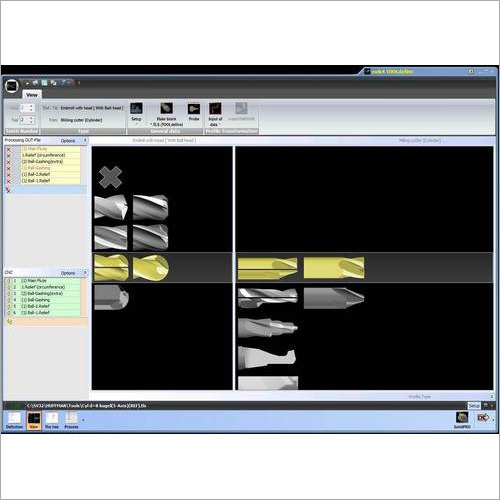
Tell us about your requirement

Price:
Quantity
Select Unit
- 50
- 100
- 200
- 250
- 500
- 1000+
Additional detail
Mobile number
Email

More Products in 5 Axes Tool Grinding Software Category
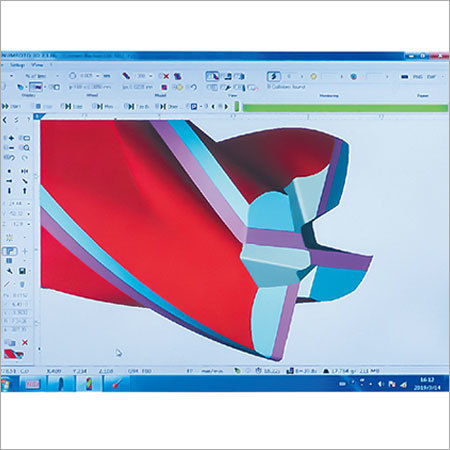
Easy Grinding Software
Price 678999 INR / Piece
Minimum Order Quantity : 1 Piece
Security Features : Password protected access
Usage : Industrial automation for grinding processes
Language Support : English
Interface Type : Userfriendly graphical interface
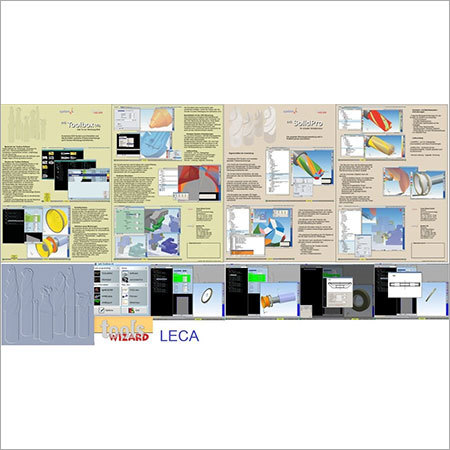
Tool and Cutter Grinding Software
Price 1800000 INR / Piece
Minimum Order Quantity : 1 Piece
Security Features : Password protected access, user authentication
Usage : Automated tool sharpening and reconditioning
Language Support : English, Hindi
Interface Type : Graphical User Interface (GUI)

 Send Inquiry
Our Products
- Aerosols
- Industrial Automation
- Electronics & Electrical Supplies
- Adhesives & Sealants Weicon
- 5 Axes Tool Grinding Software
- Weicon Wire Stripper
- OMRON Automation
- KEB Servo System
- CNC Tool Grinding Machine
- Stripping Tools
- Adhesive
- Epoxy Glue
- Epoxy Resin
- Sealent
- DC Drives
- KEB Drives
- WEICON Products
- Vector Controlled Drives
- Replacement Blade
- Aerosol Cleaner
- Servo Drive
- Measuring Instruments
- Industrial Optical Scales
- Digital Readouts
- Magnetic Transducer And Strip
- KEB Application Drives
- Geo Brick AC Drive
- KEB Elevator Drive
- CNC Walter Helitronic
- Search Light
- WEICON Technical Sprays
- Caulking Gun
- Mounting Tape
- Plastic Nozzles
- Primer Adhesive Applicator


No. 136-137/6, 8th Main, Third Phase, Peenya Industrial Area,Bengaluru - 560058, Karnataka, India

Mr Girish AN
(Proprietor)
Mobile :08045478608
 Send Inquiry
 Send SMS
Developed and Managed by Infocom Network Private Limited.


 English
 Spanish
 French
 German
 Italian
 Chinese (Simplified)
 Japanese
 Korean
 Arabic
 Portuguese